
TikTok does have an official way to translate comments. The problem is that, in testing, it often just keeps loading instead of returning something you can actually read. If you are already in the comment thread and only want to understand what people are saying, waiting on that path is not always practical. On Android, the cleanest fallback is usually a screen-based workflow that lets you translate the comments already visible in front of you.
If you need the broader Android guide for translating visible text on screen, start with our general on-screen text tutorial. This page focuses on the comment-thread case.
For the broader Android screen translation workflow rather than just the TikTok comment case, see the main on-screen translator page.
TikTok does have comment translation, so why do people still look for alternatives?
TikTok is not missing a translation feature altogether. In practice, the problem is reliability. During testing, the official comment translation path was available, but it frequently stayed in a loading state instead of returning a useful result. That changes the question completely. People are no longer asking where the button is. They are asking how to read the thread now, without getting stuck waiting.
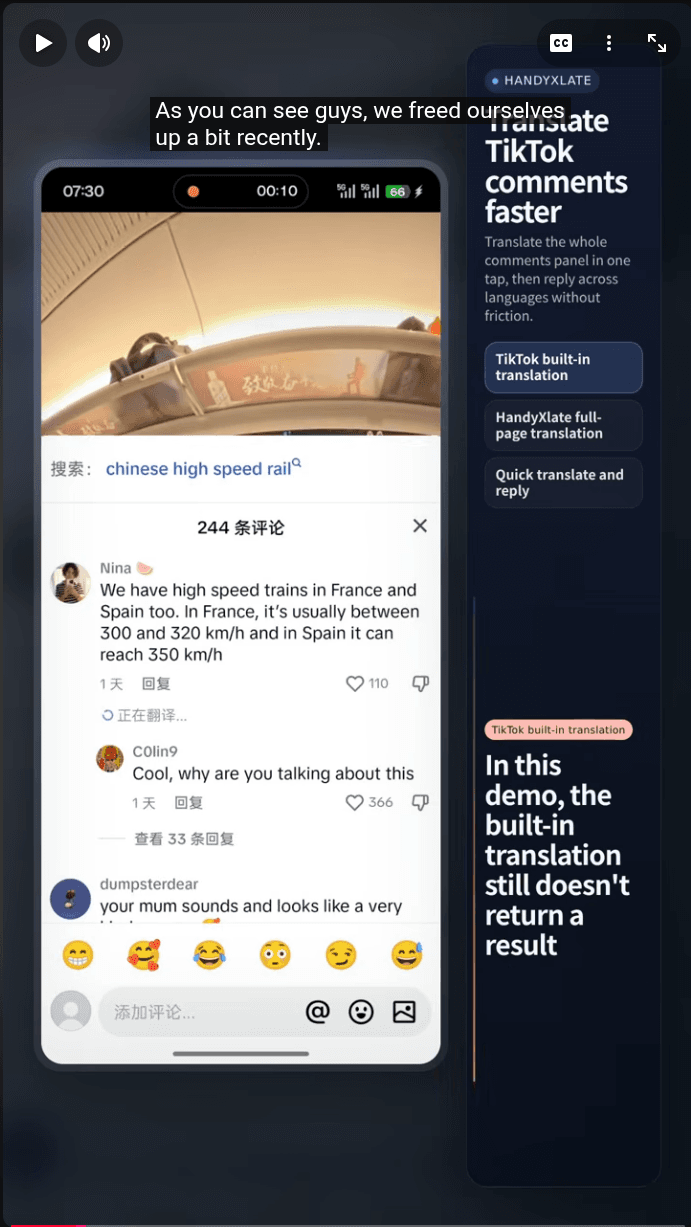
If TikTok's own translation returns a result, use it. If it keeps spinning, switch to a fallback that you can trigger yourself.
Best ways to translate TikTok comments on Android
There is no single best method for every situation. The right choice depends on whether TikTok's own translation returns a result, how much of the thread you need to read, and whether the text is only visible on screen or already editable somewhere else.
- TikTok translate: use it first if it returns a result quickly, because it is the most direct path.
- Copy and paste into another translator: workable for one short comment, but awkward once you start moving through replies.
- General Android translation tools: useful as a broad fallback, but not always the most comfortable way to read a nested comment thread.
- HandyXlate: the better fit when the comments are already visible and you want to stay on the same screen.
When HandyXlate is the better option
HandyXlate is not the answer to every translation task on Android. It is the better option in a narrower, more practical situation: the comments are already on screen, TikTok's own translation keeps loading, and you want to keep reading without copying each comment somewhere else first.
- TikTok's official comment translation keeps loading instead of returning something readable.
- You only need to understand the comments currently visible on screen.
- Copy-paste would break your reading flow almost immediately.
- You want to keep reply order and thread context in view while reading.
How to translate TikTok comments with HandyXlate
Start by opening the TikTok post and letting the comment thread settle on screen. You do not need the entire thread loaded from top to bottom. You only need the batch of comments you want to read right now. That matters because this workflow is built around translating what is currently visible, not exporting the whole discussion at once.
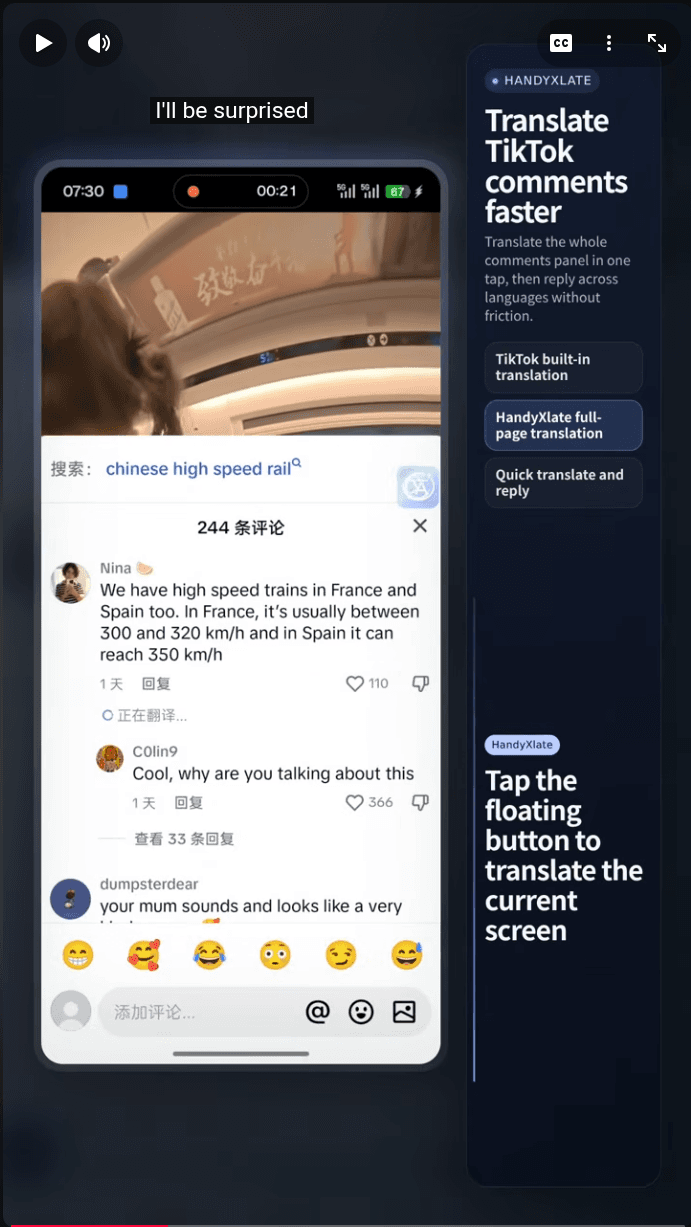
- Open the TikTok post and stop on the part of the comment thread you want to read now.
- Tap the HandyXlate floating bubble to capture the current screen.
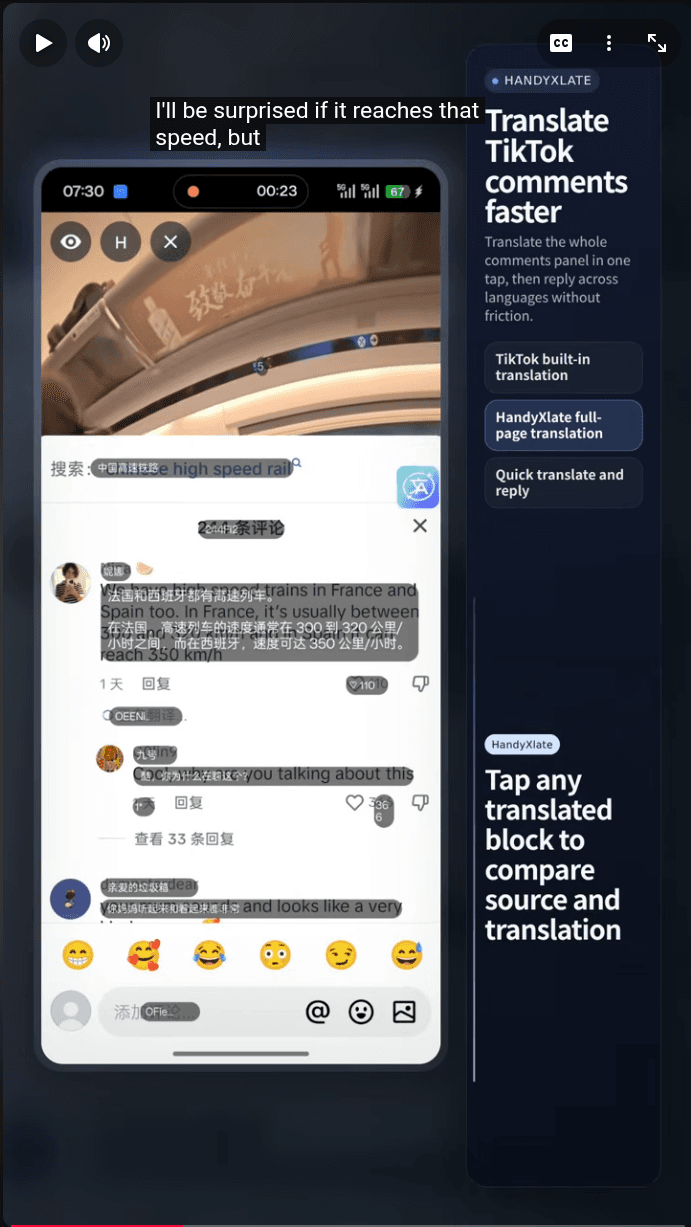
- Wait for OCR and translation to finish. The app works on the visible comments in that capture, not on the whole thread.
- Read the translated blocks directly over the original comments so you can keep the reply structure in context.
- Tap a translated block if you want a closer source-versus-translation comparison before moving on.
What this workflow is good at
This is a read-now workflow. It is strongest when your goal is simply to understand what people are saying in the thread in front of you, without turning each comment into a manual copy-and-paste task.
- Reading one visible batch of comments quickly.
- Keeping replies, order, and thread context on screen.
- Avoiding repeated app switching when TikTok's own translation does not return a result.
Practical limits to know before you use it
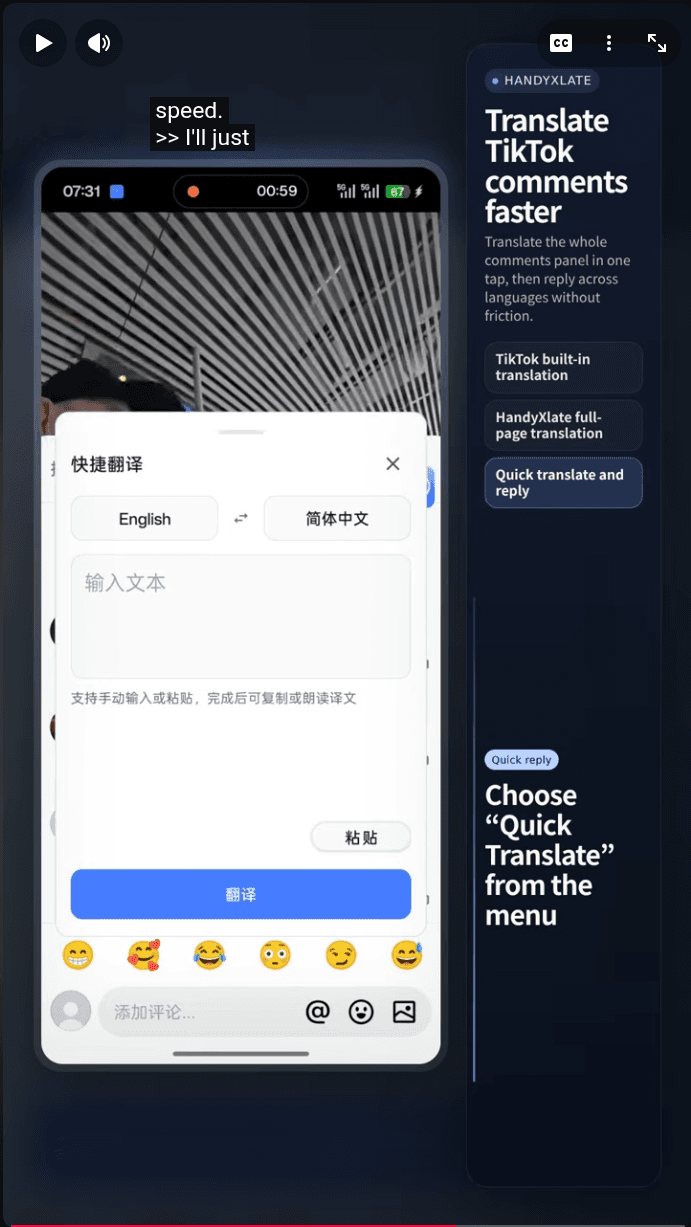
This workflow is best for the comments currently visible on screen. If new replies load further down, capture again. That is normal for a screen-translation workflow. Also, if the text is already editable, such as something in a reply box or text you have already pasted into an input field, Quick Translate is usually the faster tool. HandyXlate has two different workflows, and this guide is specifically about the screen-reading one.
Does TikTok already have a translate option for comments?+
Yes. The issue is not that the option is missing. The issue is that it can keep loading instead of returning something usable right away.
Why does TikTok comment translation keep loading?+
This guide cannot explain TikTok's internal behavior, but in testing the official comment translation path often stayed in a loading state without returning a readable result.
Do I need to copy TikTok comments into another app?+
No. The point of this workflow is to read the visible comments in place instead of turning each one into a separate copy-and-paste step.
When should I use Quick Translate instead?+
Use Quick Translate when the text is already in a form you can type, paste, or edit, such as a reply box or copied text. Use screen capture when the comments are only visible on screen.
Does HandyXlate use Accessibility?+
No. It uses screen capture permission for OCR, not an Accessibility Service.
Can I translate only the comments currently visible on screen?+
Yes. That is the normal use case for this workflow. If more replies load later, capture again for the next batch.
Download HandyXlate on Google Play
Install the app if you want a faster fallback for reading TikTok comments when the official translation path keeps loading instead of returning a result.